

NAS - OMV + Mergerfs + Snapraid#
Why OMV?#
I have decided to use OMV as my NAS software because it doesn’t require using zfs. Zfs is a nice filesystem for NAS, but it requires all the drives having identical capacity and configuration. Whereas, on OMV, we have use a combination of mergerfs and snapraid to use any available drives withoug using raid and providing more-or-less similar setup. This setup is not that robust and production-ready, but makes for a good workaround, at least for me.
Openmediavault (OMV):#
Openmediavault is free linux distribution designed for Network Attachted Storage (NAS). The project’s lead developer is Volker Theile, who instituted OMV in 2009. OMV is based on debian and is available under GNU GPL V3 license.
OMV Setup#
1. OMV is setup as a VM in proxmox on node pve1.#

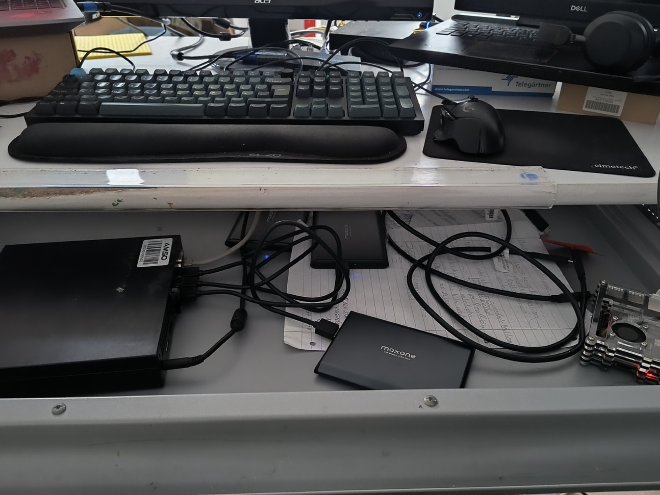
The usb sata drives are passed through the pve node to the VM
2. Get the VM ID. For me, it was 101#
3. Locate the disks using lsblk command and then finding out the id of the disk.#
e.g.
$ ls -l /dev/disks/by-id/
4. Pass the disks through to the VM. I have passed 3 usb sata disks.#
## Here 101 is the VM id and the path to the disk id
$ qm set 101 -scsi1 /dev/disk/by-id/usb-Maxone_USB_3.0_AD202410071D08-0:0

$ qm set 101 -scsi2 /dev/disk/by-id/usb-Maxone_USB_3.0_DC202410082D3-0:0

$ qm set 101 -scsi2 /dev/disk/by-id/usb-Maxone_USB_3.0_DC202410082D3-0:0
5. Drives.#
I have ordered following 3 drives, after my single drive failed. https://www.amazon.de/dp/B07C812LHQ?ref=ppx_yo2ov_dt_b_fed_asin_title&th=1
OMV Extra for plugins#
1. Install OMV-EXTRAS following this guide. This will give access to many community plugins for OMV.#
SNAPRAID setup#
1. Go to System->Plugins in the left menu of OMV and search for snapraid.#
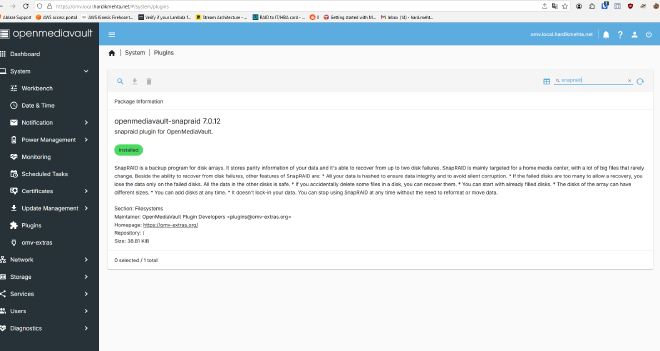
2. Install the snapraid plugin and enable it. Now snapraid should be available under services.#
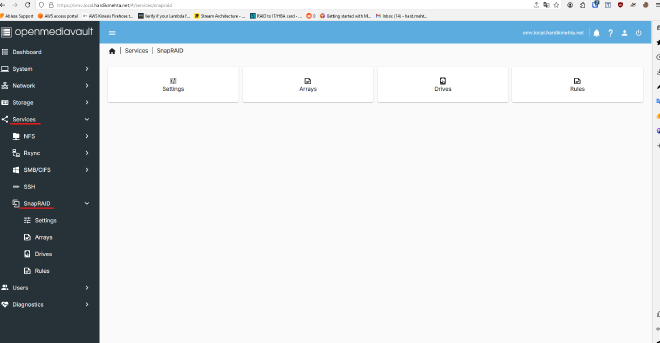
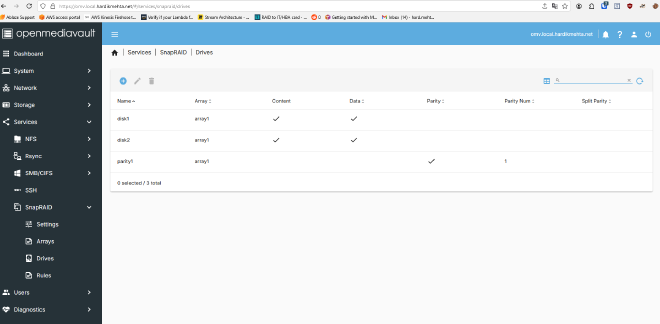
3. Configure disk array in snapraid. Create an array and give it a name.#
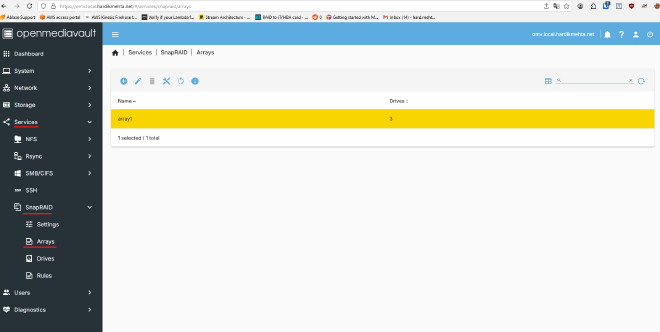
4. Add data and parity disks to the array#
I have added 2 data disks and 1 parity disks to the array created above.
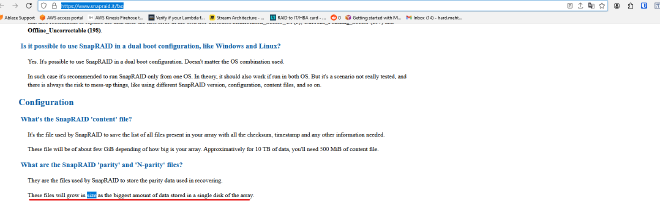
Here some FAQs about snapraid.#
Size of the parity disks:#
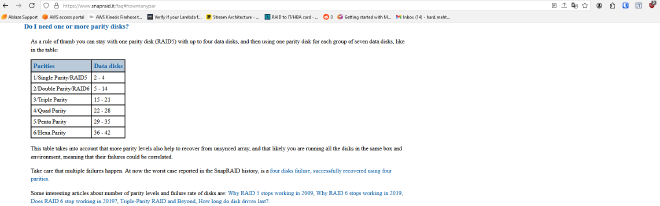
Number of parity disks:#
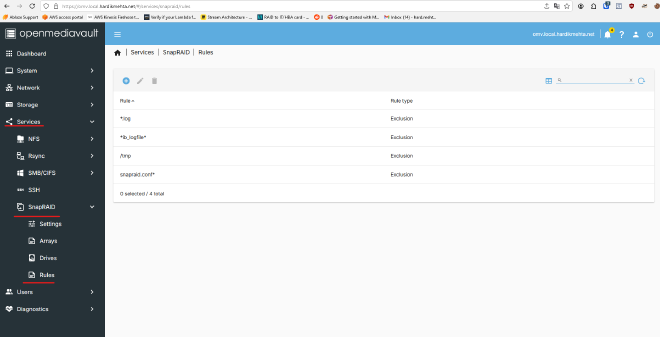
5. Configure rules to ignore some files for sync.#
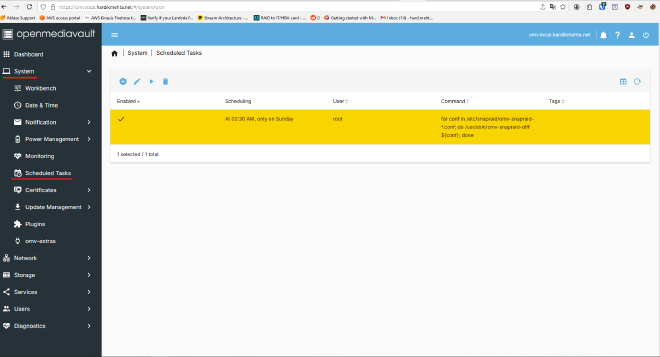
6. Configure the scheduled task to sync regularly.#
Snapraid comes with the script which syncs the parity and also scrubs regularly and sends report. By default the script runs every week.
The logs of the script are available in /var/log/snapraid.log on OMV vm.
Mergerfs Setup#
1. Go to System -> Plugins and search for mergerfs#
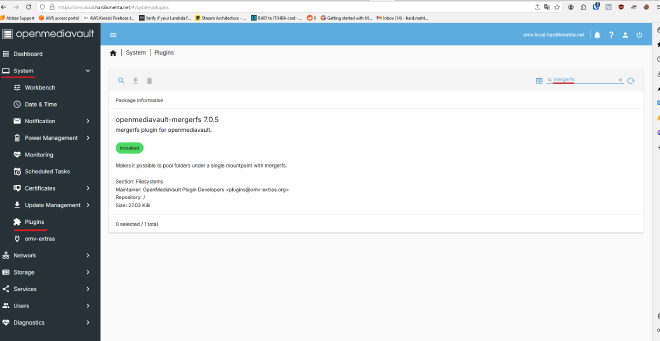
2. Install the mergerfs plugin and enable it. Now you mergerfs should be available under Storage#
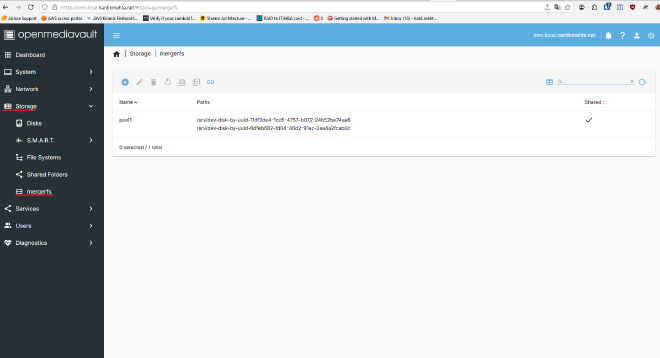
3. Setup a mergerfs pool using only the data drives (configured in snapraid array)#
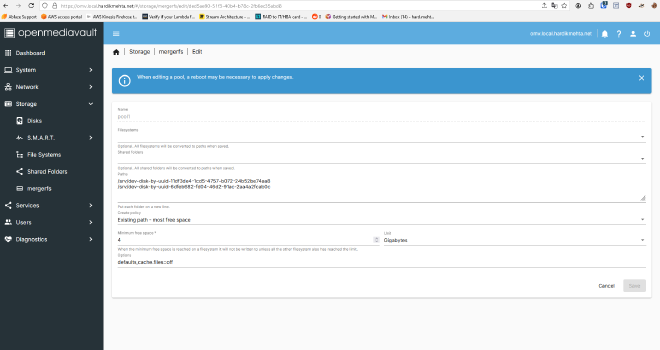
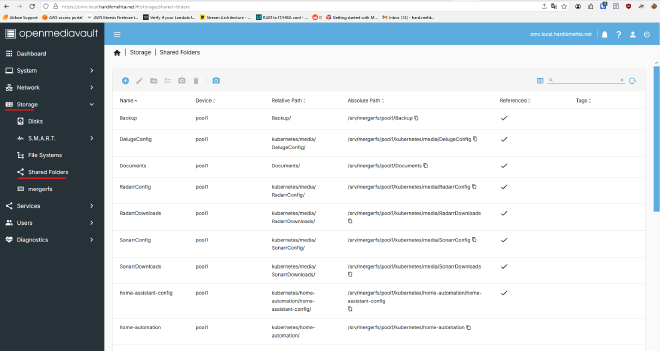
4. Now we have a pool of combined drives, with parity sync on an extra drive. All the shares should be created on the pool instead of the disks.#
References:#
OMV#
https://www.openmediavault.org/
OMV on Proxmox:#
https://www.youtube.com/watch?v=ivtKb_FMq50
SNAPRAID#
MergerFs#
https://github.com/trapexit/mergerfs
Mergerfs and Snapraid on OMV#
https://www.youtube.com/watch?v=_LLB6x5WOR4&t=6s&pp=ygUVb212IHNuYXByYWlkIG1lcmdlcmZz